

How to Safely Move Fragile Electronics: Protecting Dual Monitors, Desktop PCs, and Sensitive Hardware
A dropped monitor or a static zap inside a desktop PC can turn a simple move into an expensive repair. Fragile electronics need more care than ordinary household boxes.
- Screens crack when boxes or straps press against them.
- Static electricity can damage exposed components.
- Loose cables and ports get bent, lost or mixed up.
- Unlabelled gear slows setup at the new address.
As one of the professional movers in Melbourne, ProMove Transport offers domestic and commercial moves, packing services and specialist handling. In this blog, we will understand how to prepare, pack and transport computer equipment safely.
Focus: Protecting desktop PCs, dual monitors and sensitive hardware during a move.
Key Considerations: Data backups, cable labelling, anti-static protection and secure packaging.
Handling Approach: Pack each item separately with proper cushioning, and use packing and removalist support where needed.
Professional Insight: ProMove Transport recommends photographing cable connections before disconnecting anything.
Outcome: Lower damage risk and a quicker setup.
How Should You Prepare Dual Monitors and Desktop PCs Before Moving?
Back up your files, shut each device down fully, then photograph and label every cable before unplugging anything. This order protects your data first and makes setup far quicker. Skipping these steps is where many setup headaches begin
Data and Shutdown Steps
- Backups: Copy important files to an external drive or cloud storage, and carry the drive with you.
- Full shutdown: Choose shut down over sleep, then wait for the fans to stop and the case to cool.
- Accessories: Remove USB dongles, discs, memory cards and external drives.
- Detachable parts: Take off monitor stands where the design allows, and bag the screws with a label.
Cable Labelling for Dual Monitor Setups
Identical monitors and matching cables make reassembly confusing. Mark each cable at both ends with coloured tape, and label the screens left and right. Then photograph the rear of the PC with every cable connected.
When hiring removal professionals in Melbourne, ask whether they disconnect equipment or expect it to be ready. Settling this early avoids confusion on moving day.
Move Your Computers Without Damage
What Is the Safest Way to Pack Sensitive Computer Hardware?
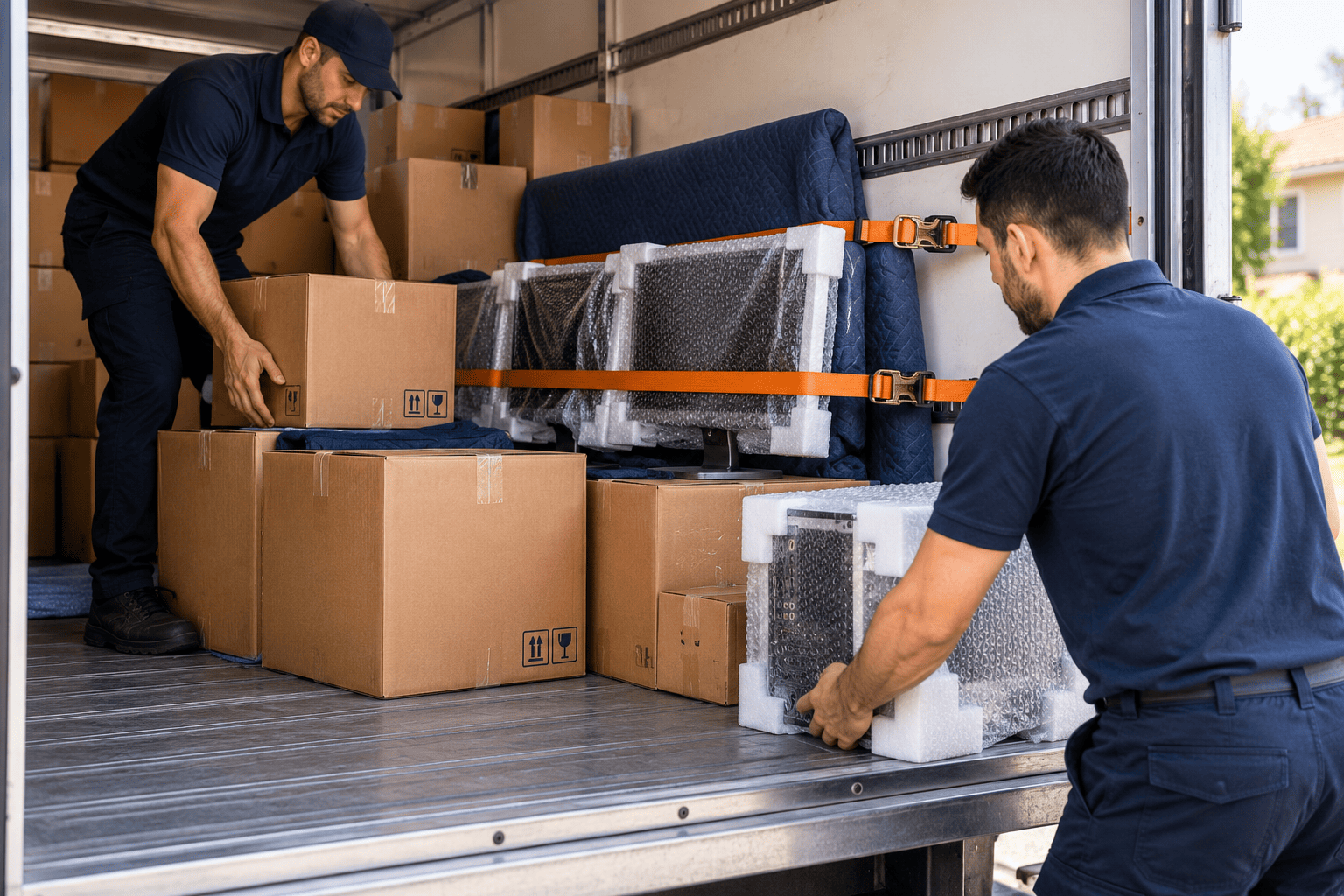
Use the original box where possible, or a sturdy double wall box with firm cushioning on every side. Pack each device separately, protect screens from pressure and keep loose components in anti-static bags.
| Item | Packing method |
|---|---|
| Monitor | Soft cloth or foam sheet over the screen, cushioning on all sides, stand packed separately. |
| Desktop tower | Snug box with firm padding, side panel secured, loose parts removed. |
| Drives, memory and cards | Anti-static bags first, then a padded box. |
| Cables and peripherals | Bagged and labelled by device, kept away from the screen glass. |
Loose packing peanuts alone tend to settle during transport, so use firm padding that holds its shape. Keep heavy cable bundles clear of monitor glass, because they press hard on screens over a long drive.
Price matters, but so does what a quote includes. Quotes from affordable removalists should state whether packing materials and labour are covered. ProMove Transport works on transparent pricing with no hidden costs, which makes comparing quotes easier.
How Can You Prevent Damage During Transport?
Control static, stop boxes from shifting and shield equipment from heat and moisture. Static can damage components without any visible sign, and sudden impacts can crack screens or loosen internal parts.
Controlling Static
- Handling: Touch a grounded metal surface before handling memory, drives or cards.
- Packaging: Loose parts are packed in anti-static bags. Ordinary plastic and bubble wrap can produce a charge.
Preventing Impact and Movement
- Monitor position: Keep screens upright and no items stacked on top.
- Load placement: Keep electronics away from heavy furniture and strap boxes to the truck wall.
- Gap-filling: Fill empty space around boxes so they cannot slide.
Managing Temperature and Moisture
Keep boxes out of parked vehicles on hot days and cover them while loading if rain threatens. Melbourne weather can change within hours, so a sheltered loading path helps.
For high value or large quantities of equipment, a sensitive freight service provides specialist handling beyond a standard moving load.
Pack Fragile Electronics Properly
Should You Move Computer Equipment Yourself or Hire Professionals?
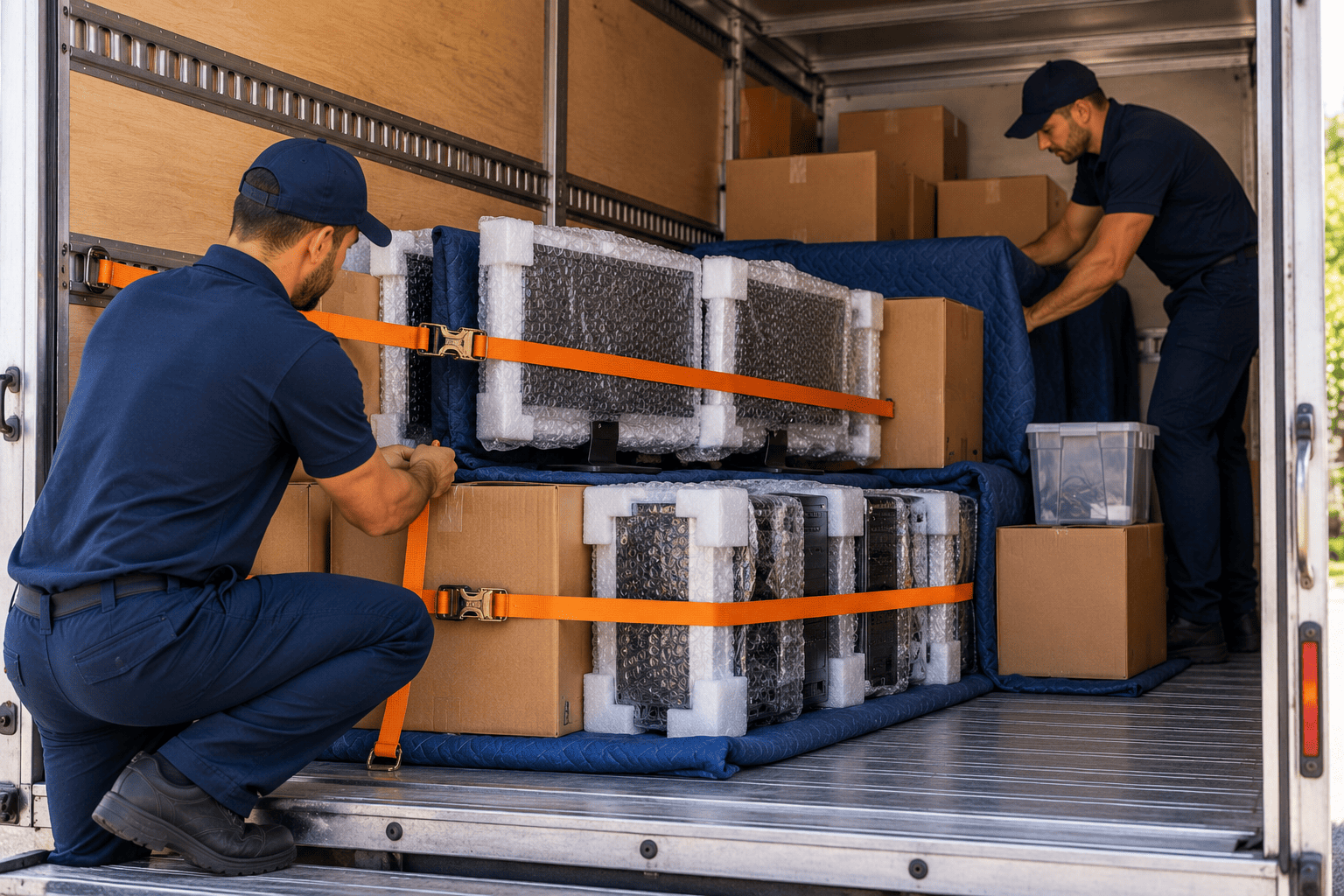
One monitor and one PC moved a short distance can be a manageable DIY job. Hire help when there are several devices, high value equipment, stairs or lifts, or no suitable packaging.
| Factor | DIY move | Professional move |
|---|---|---|
| Equipment value | Suits items you could replace easily. | Better for costly or business-critical equipment. |
| Quantity | One or two devices. | Multiple workstations or a full office. |
| Access | Ground floor, short carry. | Stairs, lifts or long carries. |
| Packing | Depends on materials you can source. | Materials and labour can be quoted together. |
Removal and packing professionals can also advise on loading order. Ask any mover to confirm in writing what insurance cover applies to electronics.
What Should You Check Before Reconnecting Your Electronics?
Check for any damage. Let the equipment come up to room temperature. Reconnect using your labels and test each piece of equipment separately. Rush this step and you can turn a minor transit problem into a bigger fault.
- Inspect: Look for cracks, dents, loose screws and bent ports.
- Acclimatise: Allow equipment to come to room temperature before switching on after large temperature changes.
- Reconnect: Connect your labels and photos, starting with the PC and one monitor.
- Test: Check each monitor and peripheral alone, then run both screens together.
If equipment waits in long term storage between homes, add a check for dust and dampness before powering up. Keep the boxes and padding until everything works, in case damage needs to be reported.
Protect Your Setup This Move
Conclusion
Safe electronics moves depend on preparation, snug packing and careful loading. Backups, labelled cables and anti-static protection reduce risk before the truck arrives, and testing each device on arrival confirms everything made the trip.
ProMove Transport is a Melbourne-based relocation company offering packing, domestic and commercial moves and specialist transport, working as reliable movers across Melbourne with transparent pricing and no hidden costs. Send us your equipment list and moving date, and we will help plan a safe approach.
